
Airtable No-Code Automation Services
What is Airtable?
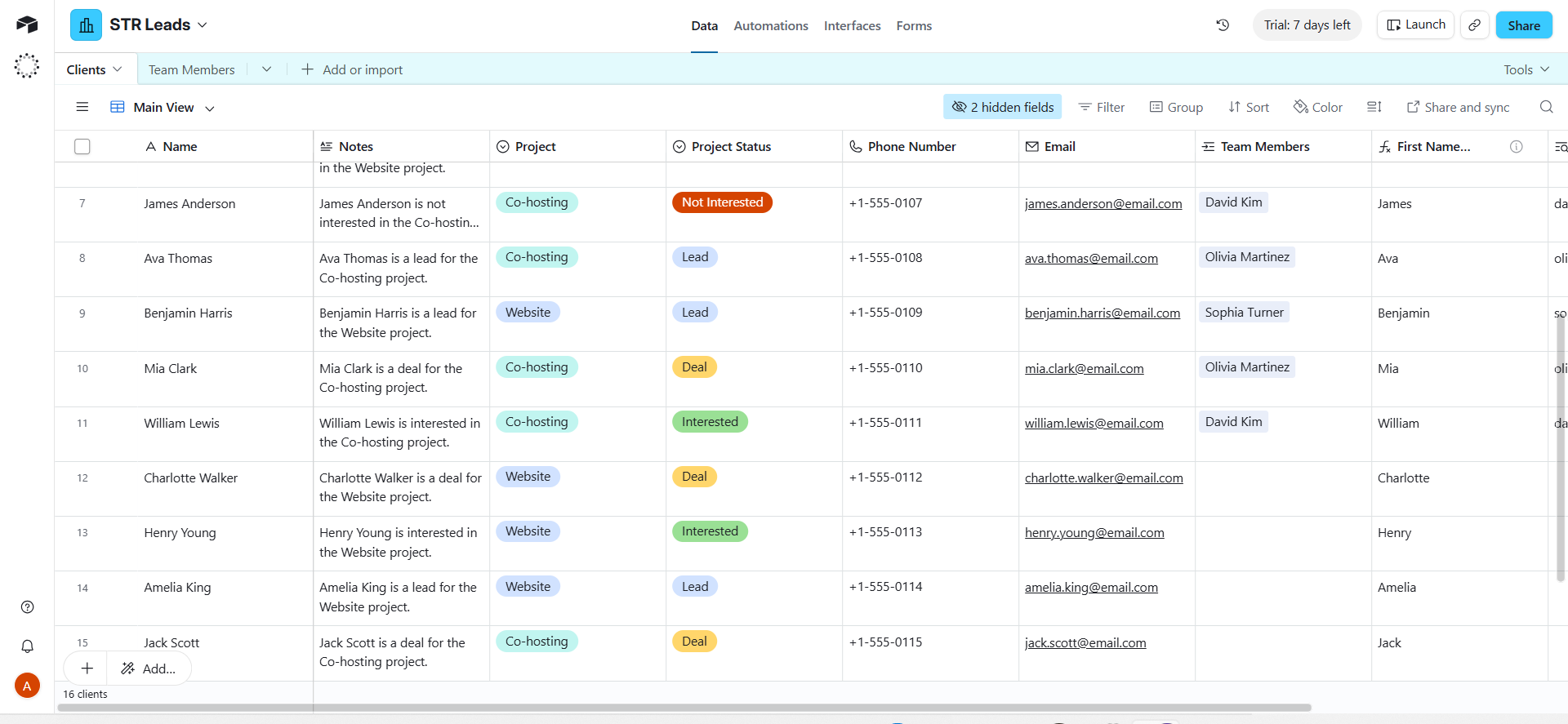
Airtable is a highly flexible relational database built with the simple interface of an everyday spreadsheet. It unifies your unique workflows, data points, and external app connections into one interactive system making it the ultimate platform for businesses looking to eliminate manual bottlenecks and automate everyday operations seamlessly.
Why use Airtable?
-
It thinks like a database, works like a spreadsheet
Your team does not need to learn SQL or hire a developer. Airtable gives you relational database power in an interface anyone can use from day one.
-
Every view, every team
Grid, Kanban, Calendar, Gallery, Gantt, Timeline. One set of data, infinite ways to look at it. Every department sees what they need, nothing they don't.
-
Automations that fire on data changes
When a record changes status, a new row appears, or a date passes, Airtable can trigger emails, Slack messages, webhooks and more without any third-party tool.
-
Connects to everything
Make, Zapier, Slack, Gmail, HubSpot, Stripe, Typeform and hundreds more. Airtable sits at the centre of your stack and your data flows in and out automatically.
-
Interfaces built for non-technical teams
Build custom dashboards and portals inside Airtable that show exactly what each person needs to see, without giving them access to the raw data behind it.
What we build with Airtable
Base Architecture
We design your Airtable base from the ground up. Tables that relate to each other, fields that calculate automatically.
Linked Records and Lookups
Connect data across tables so a client record knows which projects it belongs to, which invoices are outstanding and which team member is responsible.
Formula and Rollup Fields
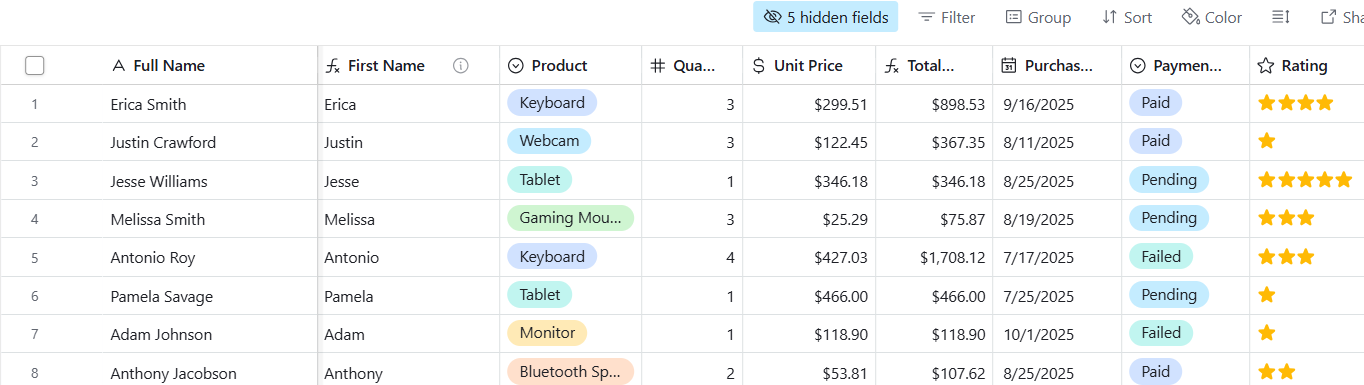
Totals, averages, countdowns, conditional flags. We build formula fields that calculate the numbers your business needs automatically so nobody is doing it manually.
Interface Designer
Custom dashboards built inside Airtable that show each team member exactly what they need. No raw data exposed.
Airtable Automations
Trigger actions when records change. Send emails, post to Slack, create new records, update fields and call external APIs without leaving Airtable or writing code.
Client and Project Portals
Give clients or stakeholders a clean branded view of their project status, deliverables and timelines without ever giving them access to your internal workspace.
Reporting Dashboards
Pull data from across your entire base into one live dashboard that updates itself.
External Integrations
We connect Airtable to Make, Zapier, Gmail, HubSpot, Stripe, Typeform, Slack and more so data moves automatically the moment something changes anywhere in your stack.
Common Use Cases
Estimate Your Airtable Project
Drag the circular dial to match your estimated target budget allocation, then lock it in to start the conversation honestly.
My spouse found Host & Flow on Instagram and checked out their website. We presented our project to them and they did a wonderful job setting up our workspace!
Carolyn G
We tried setting up Airtable ourselves but got completely overwhelmed by the backend stuff. Kelly built a super simple front-end dashboard for the team, and everyone actually uses it now.
Gary W
Host & Flow imported our data from an Excel sheet. The one thing that caught my eye is how detailed and clean the data was, they cleaned it all up for us before the import, and the automation works great!
Gilbert T
I didn't even know I could link records in Airtable. Kelly really helped us do that, and the different views they set up helped make things so easy for us.
Jacob V
Our Process
FAQ
What is Airtable?
Airtable is a no-code database platform that combines the simplicity of a spreadsheet with the power of a relational database. It lets teams structure, connect and automate their business data without writing a single line of code. Over 500,000 businesses use it worldwide to manage projects, clients, operations, content pipelines, CRM systems and more.
What is Airtable used for?
Airtable is used for project management, CRM, content calendars, inventory tracking, client portals, hiring pipelines, product roadmaps, event planning and operational reporting. Its flexibility means one Airtable base can replace multiple disconnected tools. At Host & Flow we use it to build custom no-code automation systems that connect your data, trigger actions and eliminate manual work across your entire business.
Is Airtable a no-code tool?
Yes. Airtable is one of the most powerful no-code platforms available. You can build relational databases, automate workflows, design custom interfaces and connect to hundreds of external apps without writing code. That said, getting the maximum value from Airtable requires deep knowledge of database logic, automation architecture and interface design.
How is Airtable different from Excel or Google Sheets?
Excel and Google Sheets are flat files. Airtable is a relational database. In Airtable, records in one table link directly to records in another. A client record knows which projects belong to it, which invoices are outstanding and which team member is responsible. Formulas pull data across linked tables automatically. Automations fire when data changes. No spreadsheet does any of that natively.
Can Airtable replace my CRM?
For many businesses, yes. Airtable can be configured into a fully functional CRM that tracks leads, manages pipelines, assigns follow-ups, sends automated emails and reports on conversion in real time. It is not the right fit for every business but for teams that want flexibility without the cost or rigidity of a dedicated CRM platform, Airtable automation is often the smarter choice.
What is Airtable automation?
Airtable automation lets you trigger actions automatically when something happens in your base. When a record changes status, a new form submission arrives or a date passes, Airtable can send an email, post a Slack message, create a new record, update a field or call an external API. No manual work. No reminders. Just a system that responds to your data the moment it changes.
What is Airtable Interface Designer?
Interface Designer is a feature inside Airtable that lets you build custom dashboards and portals on top of your data. You can create a clean view for clients that shows only their project status, or a focused dashboard for your sales team that shows only their pipeline, without exposing the raw data underneath. It is one of the most powerful features in Airtable and one of the most underused.
Do I need an Airtable account to work with Host & Flow?
Yes. You will need an Airtable account. During your discovery process we will advise you on the right plan for your needs. Free plans work for very simple use cases but most business builds require a Team or Business plan. We will never recommend a plan you do not need.
Is Airtable safe for business data?
Yes. Airtable is built on enterprise-grade infrastructure with encryption in transit and at rest. It holds SOC 2 Type II certification and is compliant with GDPR. You control exactly who sees what inside your workspace through granular permission settings. Your data belongs to you and you can export it at any time.
