
Make.com Automation Services

See Our Work in Action

Real automations we've built for real clients across GoHighLevel, Make.com, Airtable, and Monday.com.

View Portfolio
Multi-Step Scenarios API Connections Data Transformation Webhook Triggers Error Handling Scheduled Automations App-to-App Integration JSON Parsing File Automation AI Integration Conditional Logic Google Workspace Sync CRM Automation Real-Time Data Flow HTTP Requests Iterator Modules Aggregator Modules Router Logic Email Automation Form-to-Database Slack Notifications Airtable Sync PDF Generation Multi-Branch Workflows
What is Make.com | Host & Flow

What is Make.com?

Make.com is a visual no-code automation platform that lets you connect your apps, move data between them and trigger actions automatically without writing a single line of code.

You build what Make calls scenarios—a series of connected modules that represent your workflow. A trigger fires, data flows through each module and the right action happens at the right time, every time.
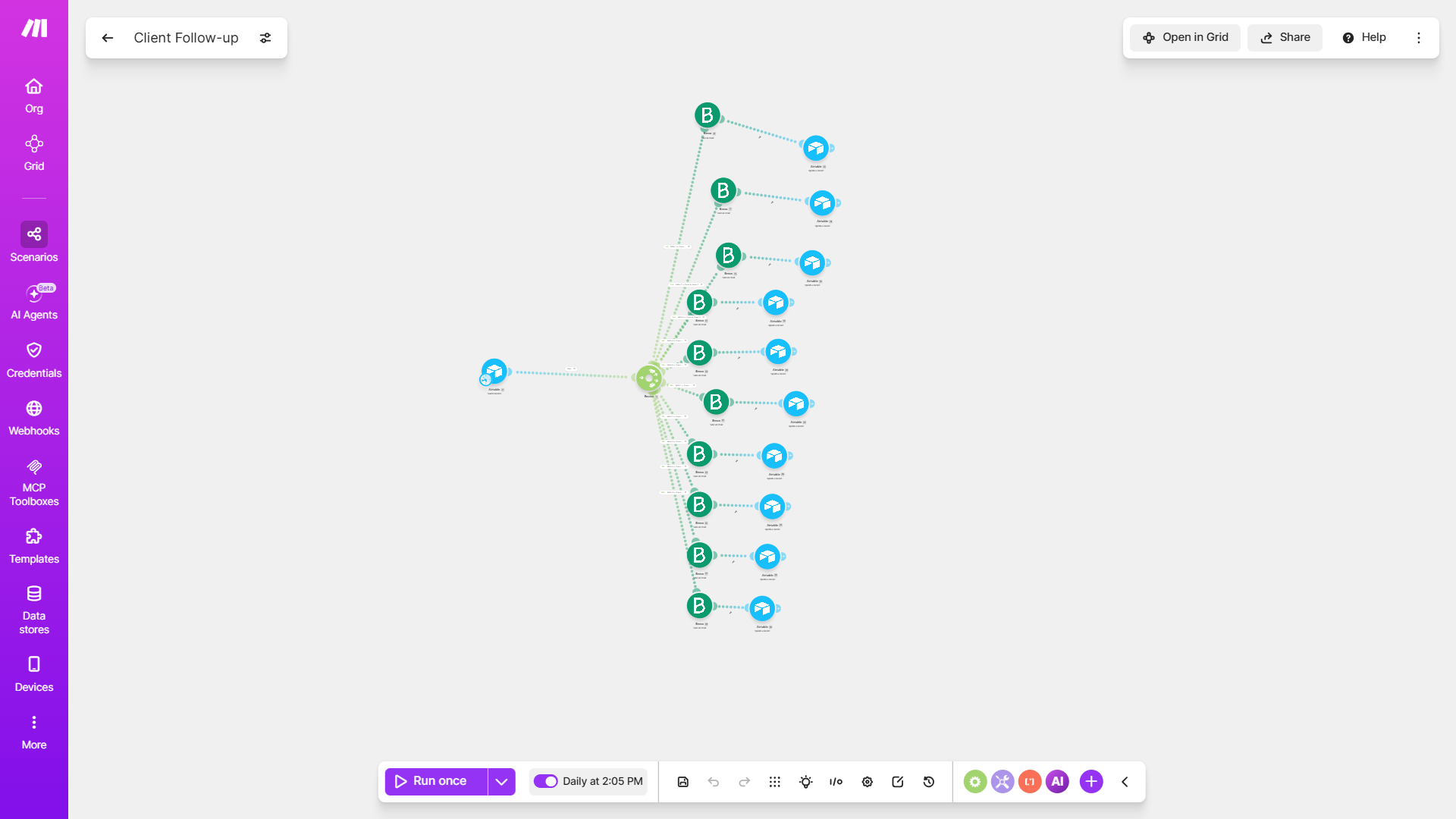
Make.com Automation Scenario
Why Use Make.com | Host & Flow

Five reasons Make.com is the automation engine serious businesses choose

  • It handles real complexity

    Most automation tools break when your workflow has more than two steps or a condition to check. Make.com is built for multi-step scenarios with branching logic, data transformation and error handling baked in from the start.

  • Visual and easy to understand

    Make.com scenarios are built visually. You can see your entire workflow on one screen, understand exactly what happens at each step and spot problems before they become expensive.

  • Connects to over 2,000 apps

    Airtable, Monday.com, YouTube, Brevo, OpenAI, Claude, PayPal, GoHighLevel, Gmail, Slack, HubSpot, Stripe, Shopify, Typeform, Google Sheets, Xero, WhatsApp and thousands more. If your business uses a tool, Make.com almost certainly connects to it.

  • Runs on a schedule or in real time

    Make.com scenarios can fire the moment a trigger happens, like a form submission or a new record, or run on a schedule, like every morning at 8am. Your workflows run whether anyone is logged in or not.

  • Handles data the way your business needs

    Make.com can parse JSON, transform text, filter arrays, aggregate data and format outputs before sending them anywhere. It does not just move data. It cleans, shapes and delivers it exactly how your next tool needs it.
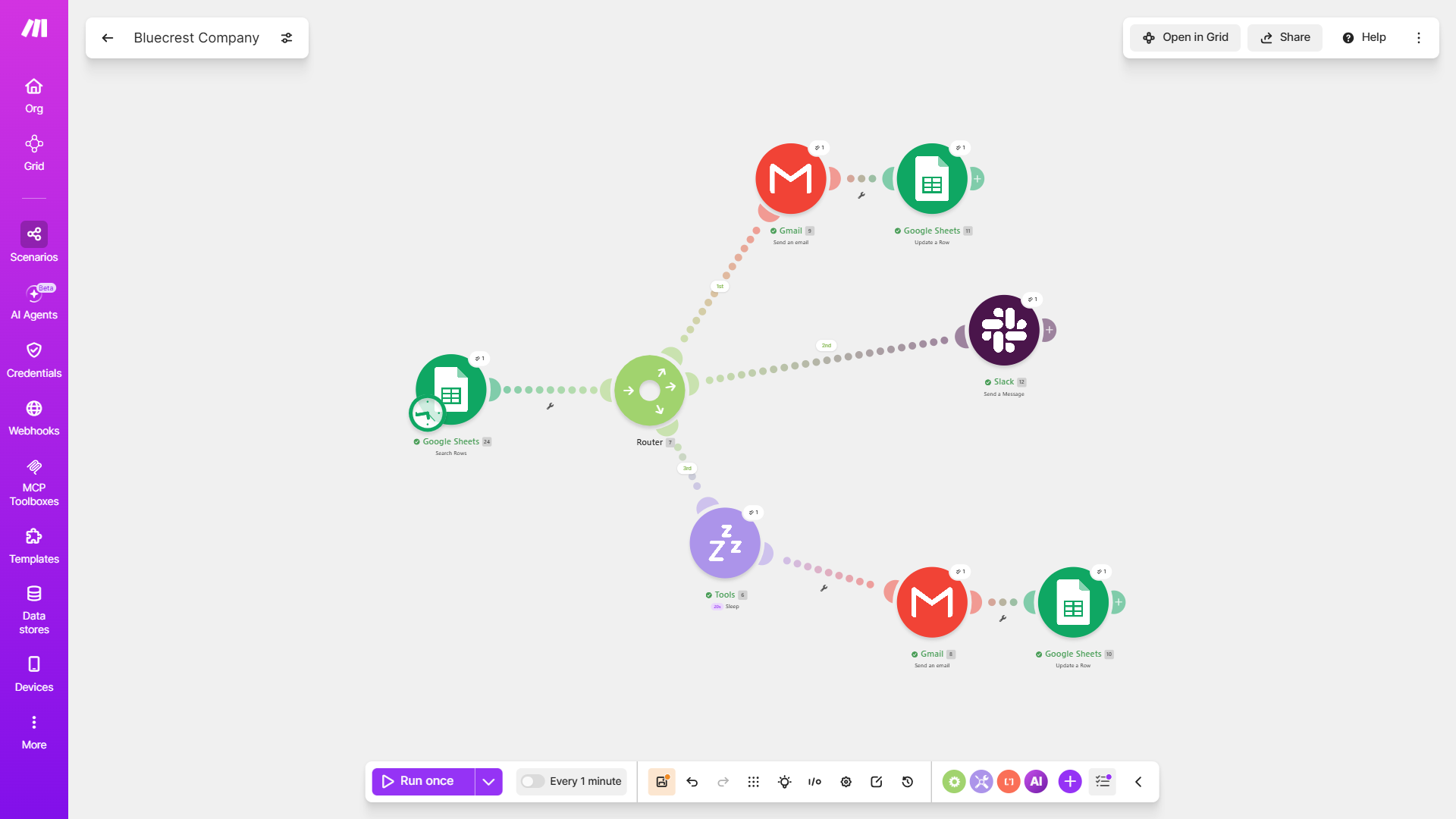
Make.com Bluecrest Company Automation Scenario

Common Use Cases on Make.com

Not sure where to start? Try something like: You send the same onboarding email sequence manually every time a new client signs up, You use five different tools and none of them talk to each other. Your team is the connection between all of them., or You reply to hundreds of youtube comments by hand every week. Whatever it is, just describe it and we'll take it from there.

Type in the problem you're facing so we can show you a result.
Low urgency

What we build with Make.com

Multi-Step Scenarios

We design Make.com scenarios that handle as many steps as your workflow needs. Data comes in, gets processed, splits into branches, hits multiple apps and lands exactly where it should.

API and Webhook Connections

If your tool has an API, Make.com can talk to it. We build HTTP module connections that let Make work with platforms that do not have a native integration, opening up almost unlimited possibilities.

Data Transformation

Raw data rarely arrives in the format your next tool needs. We use Make.com's built-in tools to parse, format, filter and reshape data between apps so nothing arrives broken or unusable.

Scheduled Automations

Daily reports, weekly summaries, monthly invoices, recurring notifications. We set up Make.com scenarios that run on whatever schedule your business needs without anyone having to trigger them manually.

Real-Time Webhooks

When something happens in one tool, Make.com fires instantly. A form submission, a payment, a status change, the webhook catches it and your scenario runs in seconds.

AI Integration

We connect Make.com to OpenAI, Claude and other AI tools so your scenarios can generate content, classify data, summarise information or make decisions automatically inside your workflow.

Error Handling

A Make.com scenario without error handling is a scenario that will eventually break silently. We build fallback routes, retry logic and alert notifications so nothing fails without someone knowing about it.

Multi-App Workflows

Most workflows do not live in one app. We build scenarios that move data across your CRM, spreadsheets, email, SMS, calendars and payment tools in a single run, so every system stays in sync without manual updates.

Estimate Your Make.com Automation

Drag the circular dial to match your estimated target budget allocation, then lock it in to start the conversation honestly.

$
100
Target Budget

Our Process

01

02

03

04

05

Frequently Asked Questions

Make.com is a visual no-code automation platform that lets you connect apps, automate workflows and move data between tools without writing code. You build scenarios, visual flowcharts of connected modules, that trigger automatically based on events, schedules or real-time webhooks. It is used by over 500,000 businesses worldwide across every industry to eliminate manual work between their tools.

A Make.com scenario is a visual automation workflow made up of connected modules. Each module represents an app or an action. The first module is the trigger, the event that starts the scenario. Every module after it is an action, something Make.com does automatically in response. Scenarios can have one action or fifty, with branching paths, conditions, data transformation and error handling built in.

Both tools automate workflows between apps but they serve different levels of complexity. Zapier is simpler and better suited to straightforward two or three step connections. Make.com is built for complex, multi-step workflows with conditional logic, data transformation, iterators, aggregators and advanced error handling. For businesses with real operational complexity, Make.com is almost always the better choice.

Make.com connects to over 2,000 apps natively, including Google Workspace, Airtable, Monday.com, GoHighLevel, HubSpot, Salesforce, Slack, Stripe, Shopify, Typeform, Xero, QuickBooks, WhatsApp, OpenAI, Notion and hundreds more. For apps without a native module, Make.com can connect via HTTP requests and webhooks, which covers virtually any tool with an API.

Yes. This is one of Make.com's biggest advantages. You can add router modules that split your scenario into multiple branches based on conditions. For example, if a lead came from one source, do this. If it came from another, do something else. You can have as many branches as your workflow needs, each with its own set of actions and error handling.

Make.com is used across every industry. Contractors use it to automate job scheduling and invoicing. Coaches use it to automate client onboarding and follow-up. E-commerce brands use it to sync orders, update inventory and trigger customer emails. Marketing agencies use it to move leads between tools and generate reports. Healthcare providers use it to automate appointment confirmations and intake forms. If your business uses more than one tool, Make.com can connect them.

Yes. Make.com is built on secure infrastructure with data encryption in transit and at rest. It is GDPR compliant and holds SOC 2 certification. Data flowing through Make.com scenarios is processed and passed along but not stored permanently unless you explicitly route it to a storage module. You control exactly what happens to your data at every step of the scenario.

Yes. You will need a Make.com account to run the scenarios we build. We will advise you on the right plan during your discovery call. Make.com has a free tier that covers basic scenarios but most business builds require a Core or Pro plan depending on the number of operations your scenarios run each month.

A focused single-scenario build typically takes three to five business days. A full Make.com automation system covering multiple workflows, complex multi-branch scenarios and several app integrations usually takes one to three weeks depending on complexity. You receive a clear timeline after your audit call.

Every scenario we build includes error handling that alerts your team the moment something fails. We also provide full documentation so your team understands what each scenario does and why. Ongoing support is available if you need scenarios updated, new ones added or existing ones debugged as your tools or processes change.

Ready to hand off your STR?
Get Started Today

Attentive operations, fast communication, real accountability; every part of your rental, handled. From guest support to direct-booking websites, we help your property earn more while you do less.

© 2026 Host & Flow Ltd. All Rights Reserved.
Registered Company No. 9005903

Scroll to Top